






Describe a section. AI builds it, with your own products.
Type what you want — “my 4 best sellers with a 24-hour countdown”, “a before / after for my serum”, “three reasons to buy, with icons” — and the section appears in your store, in your theme’s colours, ready to edit like any other.

How it works
- 1
Describe it
In English, French or Arabic, in your own words. Open Add section › Generate in the editor.
- 2
AI builds it
Using your real products, your best sellers and your theme colours — usually in under a minute.
- 3
Change it in words
“Make the title bigger”, “add a Shop all button”. Each version is kept; undo in one click.
Why it is different
Built in, no app
Generate is part of the store editor. Nothing to install, no extra subscription.
Your products, not placeholders
The AI sees your catalogue and best sellers, and product pickers let you swap them.
Your theme’s look
Sections use your theme’s colours, fonts and corners, so they match the rest of the store.
Edit like any section
Every text, picture and colour has a setting; drag it anywhere on any page.
Change and undo
Ask for a change in words; the last versions are kept so you can go back.
Translate the store too
With Language & Currency, translate products, collections and pages with AI in one click.
How many AI sections?
3 AI sections while you build for free, then 20, 60 or 200 a month depending on your plan.
Questions people ask first
Do I need to know how to code?
No. You write a sentence; the section is built and then edited with normal settings, like every other section.
Can it build a whole store?
It builds sections, one at a time, inside your theme — which keeps every page fast and consistent. Pick a theme for the whole look, then add the sections you need.
Which languages can I write in?
English, French or Arabic. The section’s texts come out in the language you ask for.
How many sections can I generate?
3 AI sections while you build for free, then 20, 60 or 200 a month depending on your plan.
Guides to go further
Sell
AI prompts for your online store sections, ready to copy
Ready-to-copy AI prompts to build store sections — best sellers, countdowns, before / after, reasons to buy, FAQ, reviews — for fashion, beauty, food, electronics and home stores.
3 min read
Sell
How to write product descriptions that sell
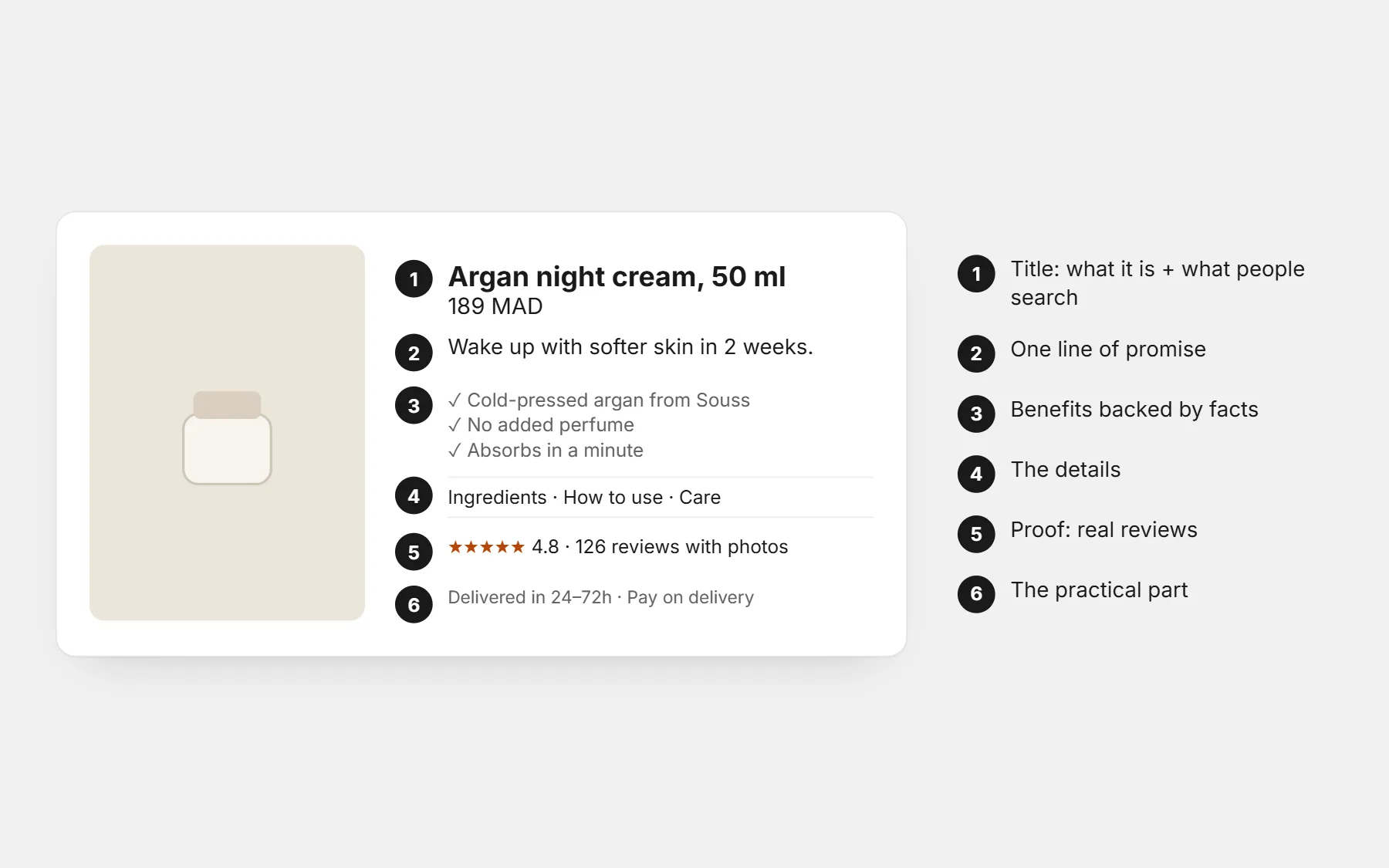
A simple structure for product pages that answer every question before the customer asks: the promise, the details, the proof and the practical info — with before/after examples.
3 min read
Apps that go with it
Language & Currency
A foreign language and a foreign currency make visitors leave.
Free — launch offerHow it works
Reviews
Without reviews, new visitors hesitate — and buyers who pay on delivery refuse more often.
Free — launch offerHow it works
Flash Sales
Changing prices by hand for a sale is slow, risky, and easy to forget to undo.
Free — launch offerHow it works
Try it in your store
Included in every plan. Build free for 3 days · $1 for your first 14 days.
Build free for 3 days · $1 for your first 14 days · Cancel any time