







Quick Order Form: orders in seconds, cash on delivery or bank transfer
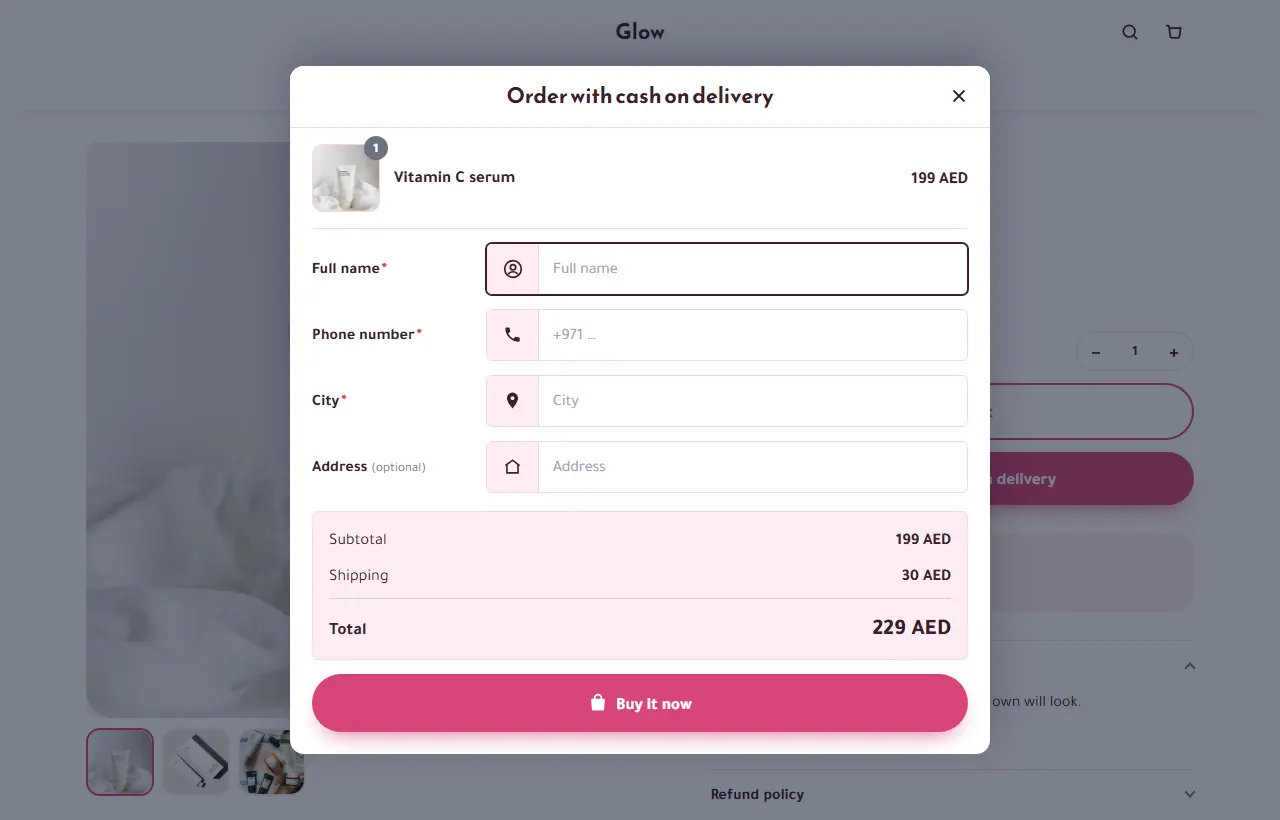
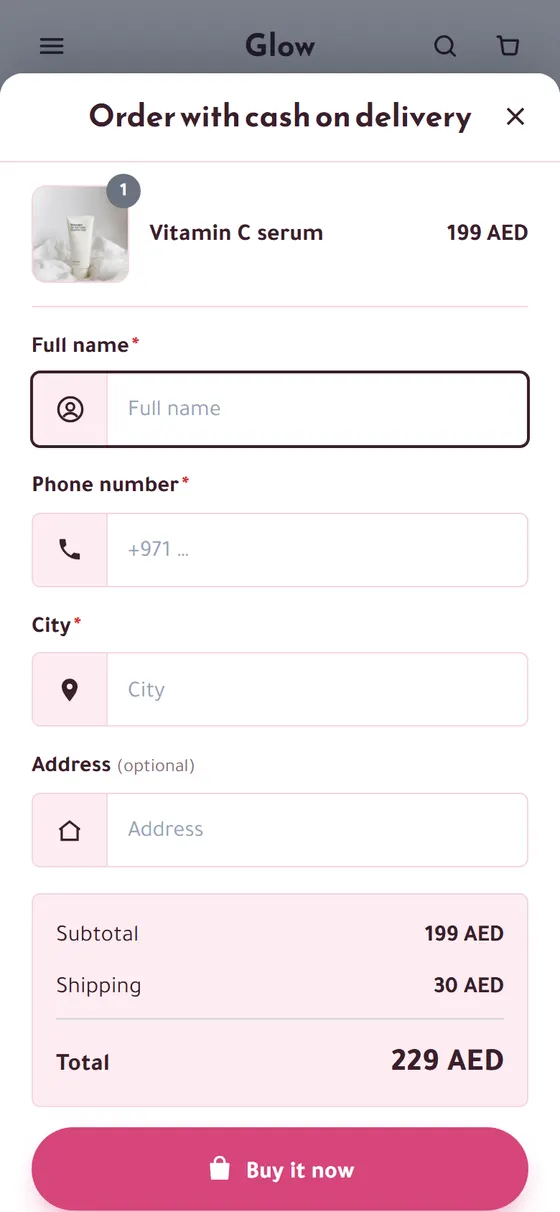
Most shoppers who pay on delivery want to order with a name, a phone number and a city — not a cart, an account and three checkout steps. Quick Order Form puts that short form right on your product page.
The problem it solves
A long cart and checkout loses many buyers on their phone, especially the ones who will pay when the parcel arrives.
How it works
- 1
Choose the layout
On the page, or in a pop-up that opens from an “Order now” button.
- 2
Write your words
Your title, button and thank-you message, in your language.
- 3
Orders arrive
With name, phone, city and address — ready to confirm.
What you get
- Form on the page or as a pop-up
- Sticky “Order now” button on phones
- Your own title, button and thank-you texts
- Show or hide the price summary
- A section to place the form anywhere on a product page
- Cash on delivery and bank transfer
- An optional “Order on WhatsApp” button, with the product and the chosen option already written
Where to switch it on
Install it in Apps, then switch it on in Online store › Themes › Customize › App embeds and pick a pop-up or a form on the page. The fields you ask for (address, notes) are set in your checkout settings.
Free — launch offer
Apps will soon cost $25 a month. Add one now and it stays free for you, for good — no limit on use.
Every theme is free tooQuestions people ask first
Is Quick Order Form free?
Yes, during our launch. Apps will soon cost $25 a month, but if you add Quick Order Form now it stays free for you, for good. You pay only your store plan.
Can customers still use a normal cart?
Yes. You can keep Add to cart next to the form, or hide it and take orders through the form only.
Does it work with quantity offers and bundles?
Yes. Offers and bundles appear inside the form, and the server prices the one the customer picks.
Apps that work well with it
Quantity Offers
Most customers buy one piece, even when they would take two with a small discount.
Free — launch offerHow it works
Order Bump
The moment before ordering is the easiest moment to add a small extra — and most stores show nothing.
Free — launch offerHow it works
Bundles
Customers buy one product when a matching second one would make a better deal for both of you.
Free — launch offerHow it works
Guides to go further
Deliver
How to reduce refused cash-on-delivery orders
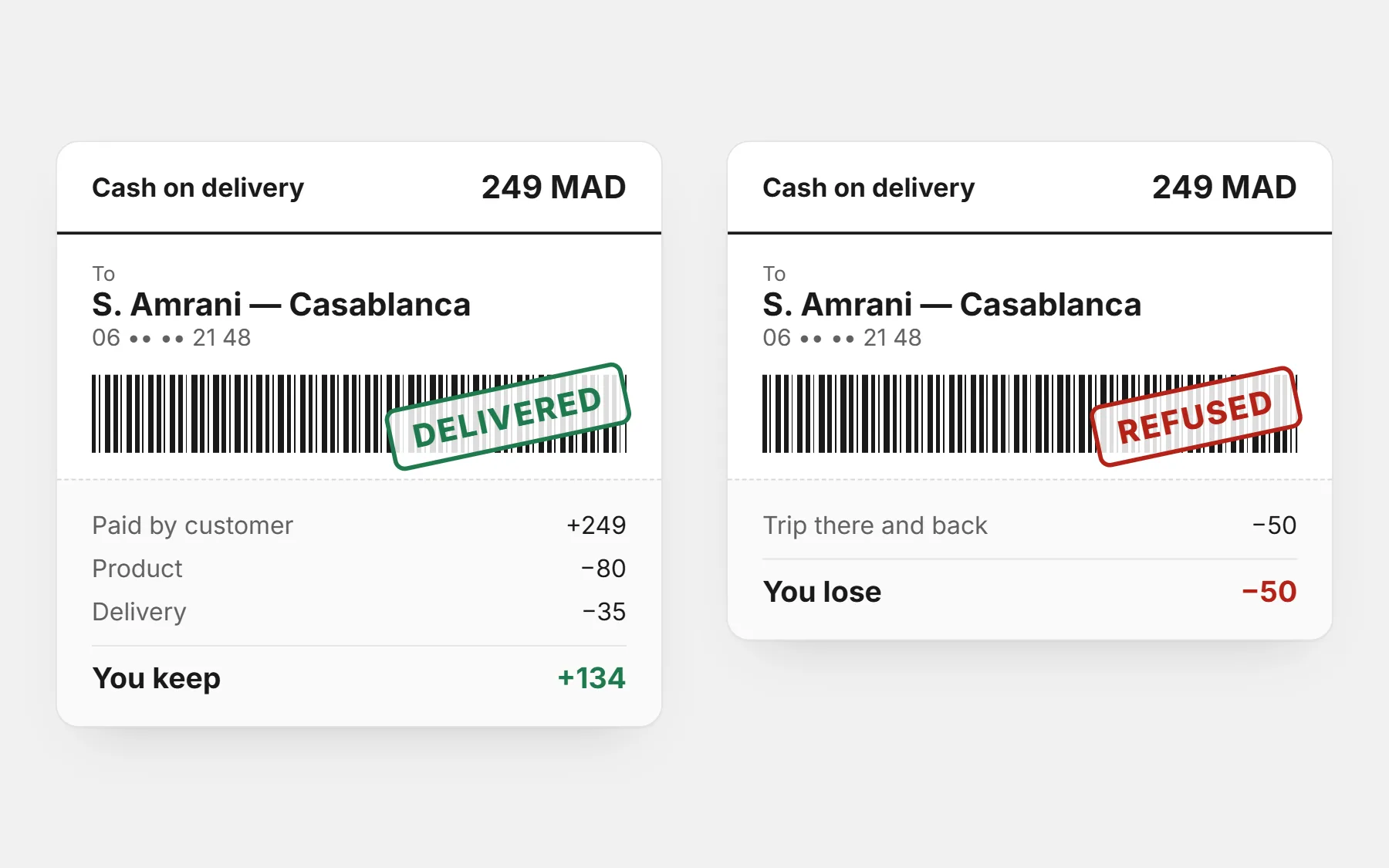
Refused COD parcels cost you delivery twice and block your stock. 12 practical fixes — before the order, before shipping and at the door — to deliver more of what you sell.
3 min read
Deliver
Order confirmation messages for WhatsApp and SMS, ready to copy
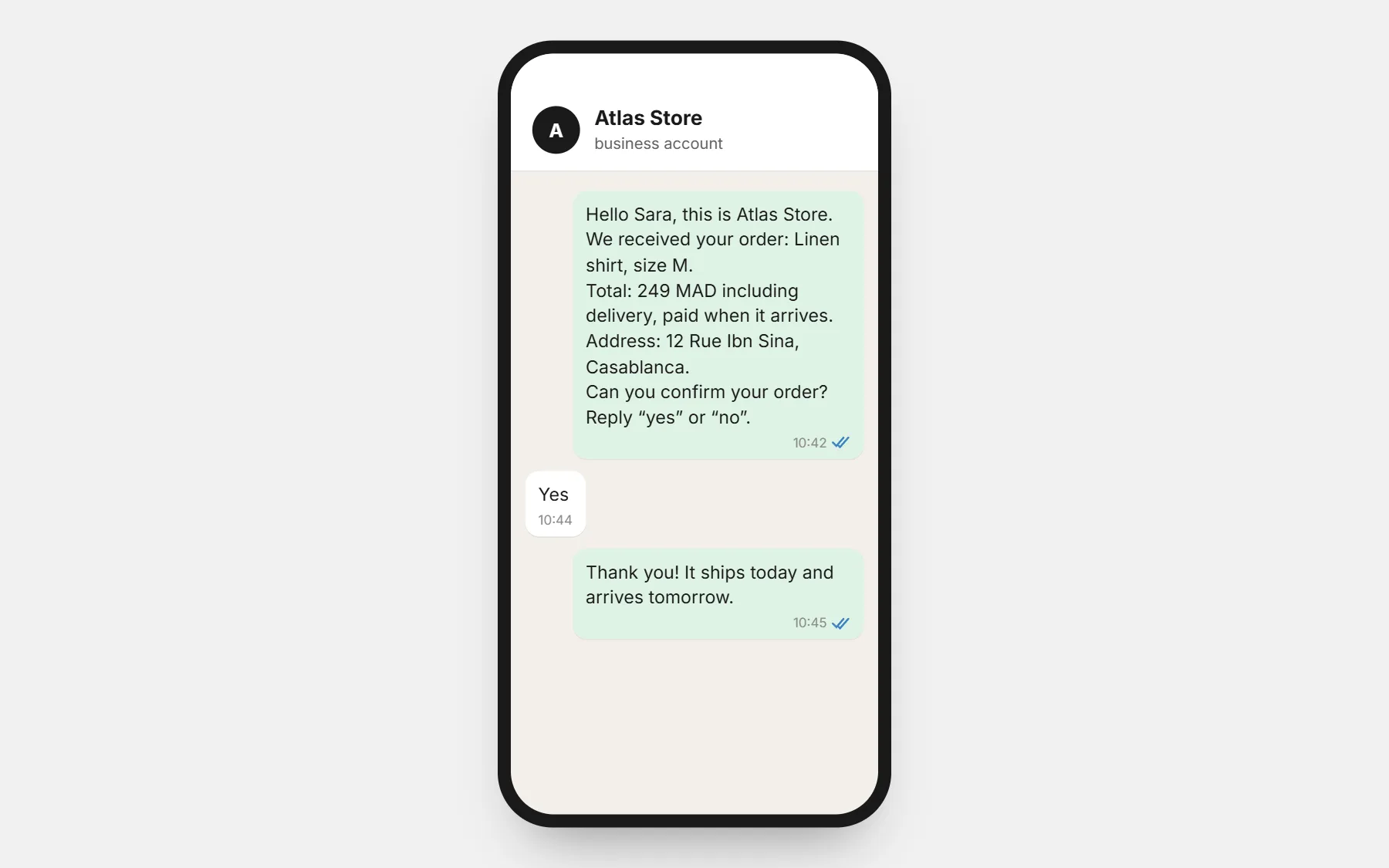
Ready-to-copy WhatsApp and SMS messages to confirm cash-on-delivery orders, follow up when nobody answers, announce shipping and ask for a review — in Darija, French, Arabic and English.
4 min read
Open your store with Quick Order Form switched on
Every app and every theme is free while we launch — and stays free for you once added. Build free for 3 days · $1 for your first 14 days.
Build free for 3 days · $1 for your first 14 days · Cancel any time