The setup: a window, a white sheet, that is all
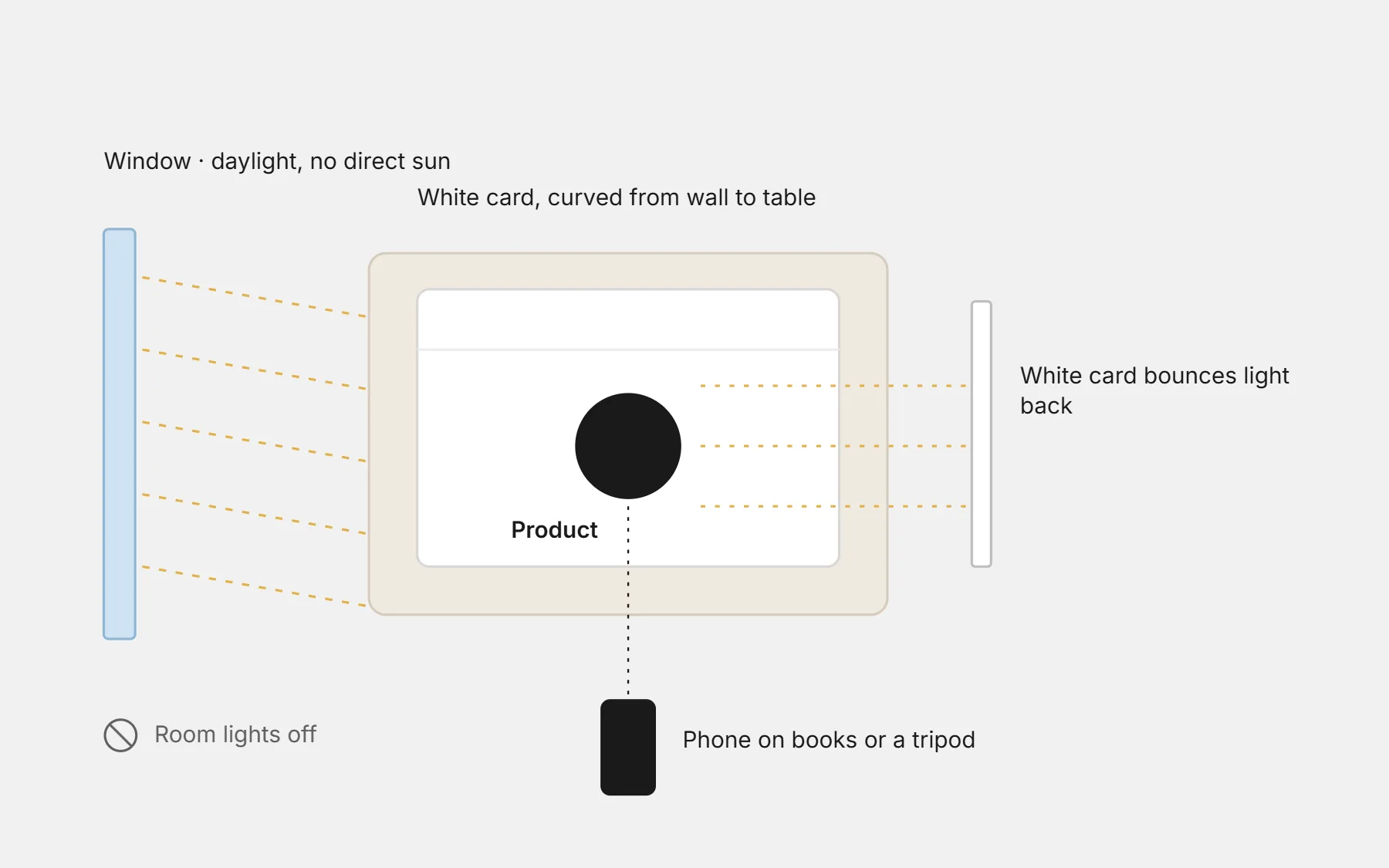
- Light: a big window with daylight, no direct sun. Turn off the room lights — mixed light gives yellow and blue patches.
- Background: a large white or light-grey card, curved from the wall to the table so there is no line behind the product.
- Fill the shadows: a second white card (or a sheet of paper) on the side opposite the window bounces light back.
- Hold still: lean the phone on a stack of books or use a small tripod. Sharp photos look expensive.
Phone settings
- Use the main camera (1×), not the wide one: it bends straight lines less.
- Tap the product to focus, then slide down a little to lower the brightness if the white background burns.
- Switch off the beauty filter and “portrait” mode for products — they blur edges and change colours.
- Take photos in the highest resolution; you can make them smaller later.
The six photos every product page needs
- 1The main photo: the whole product, front, on a clean background. This one appears in lists and ads.
- 2The back or side: what the front does not show.
- 3A close-up: fabric, texture, stitching, the inside of a cream.
- 4In use: worn, held, in a room, on a table — so people imagine it at home.
- 5Size: next to a hand, on a person with their height written, or with a common object.
- 6What comes in the box: everything the customer will receive, laid out.
Mistakes that cost orders
- Colours that do not match the real product — a top reason for refused parcels and returns.
- Supplier photos only: shoppers recognise them from other shops and trust you less.
- Each photo in a different size and light: the page looks messy.
- Heavy filters, stickers and text on the photo. Put the text on the page, not on the picture.
Questions people ask first
Do I need a ring light?
Not to start. Daylight from a window is softer and more natural. A ring light helps for small items, jewellery and filming at night.
Should I remove the background?
For the main photo, a clean white or light background is enough. Keep the “in use” photos in real settings — they sell the feeling.
Square or vertical photos?
Choose one shape for every product. Square works almost everywhere; vertical (4:5) fills more of a phone screen for fashion.