First: are the orders really missing?
- 1. The pixel does not see orders. Compare orders in your store with purchases in the ad platform. If your store has orders the ad does not show, fix the pixel — see pixel setup.
- 2. You read the wrong column. Link clicks, not all clicks (likes and profile taps count as clicks too).
The page the ad lands on
- 3. The ad goes to the home page. Send it to the product page it shows.
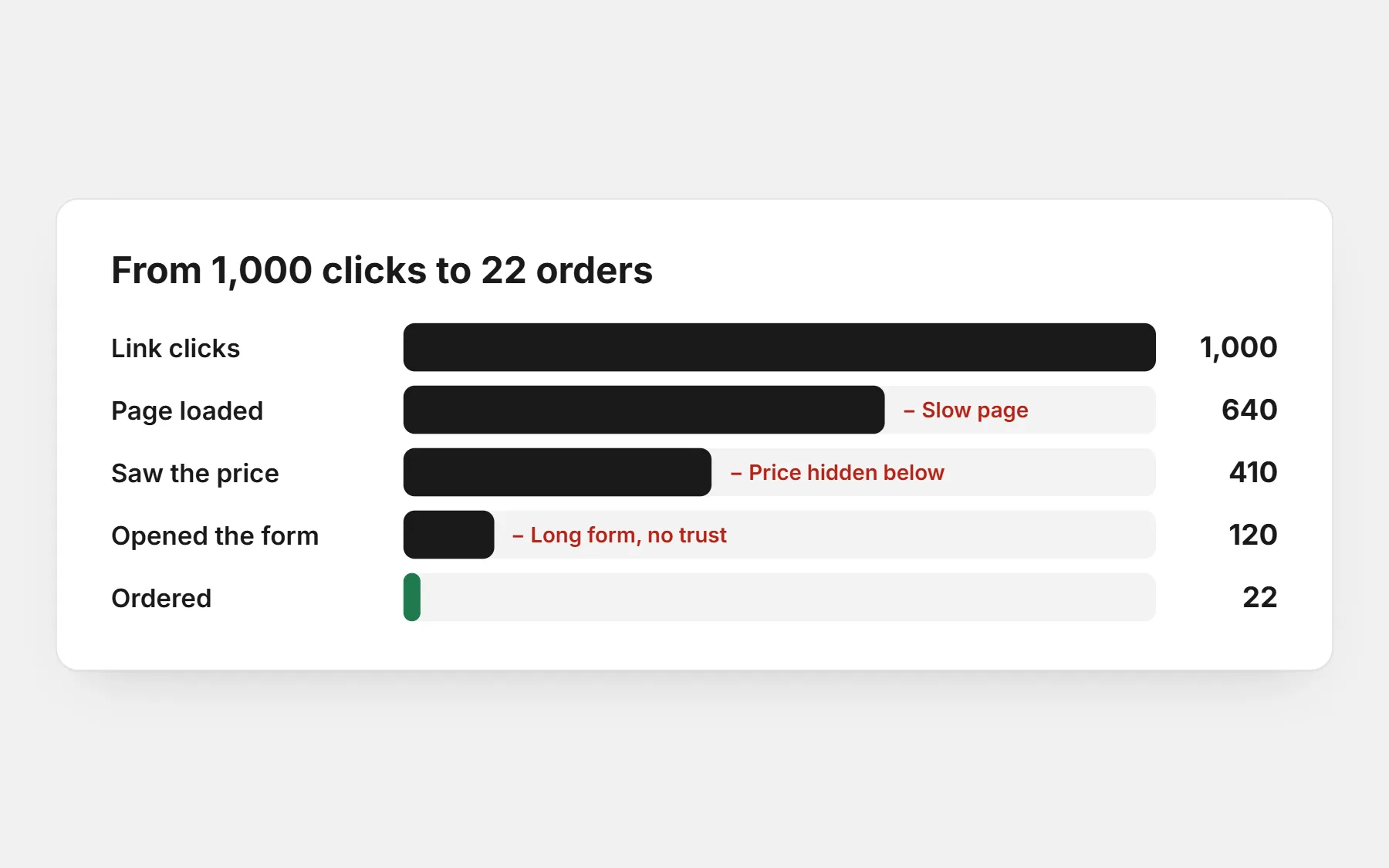
- 4. The page is slow. Open it on your phone with mobile data. More than a few seconds and many visitors leave. Lighten the pictures and the first video.
- 5. The page does not match the ad. Same product, same picture, same offer — or the visitor thinks they are in the wrong place.
- 6. The price is hidden or surprises. Show the price and the delivery fee before the form.
- 7. The buy button is not visible on a phone. It must be on the first screen, or follow the visitor as a sticky button.
- 8. The form is too long. Name, phone, city, address. Remove everything else.
Trust
- 9. Only supplier photos. Add real photos and a short video of the product.
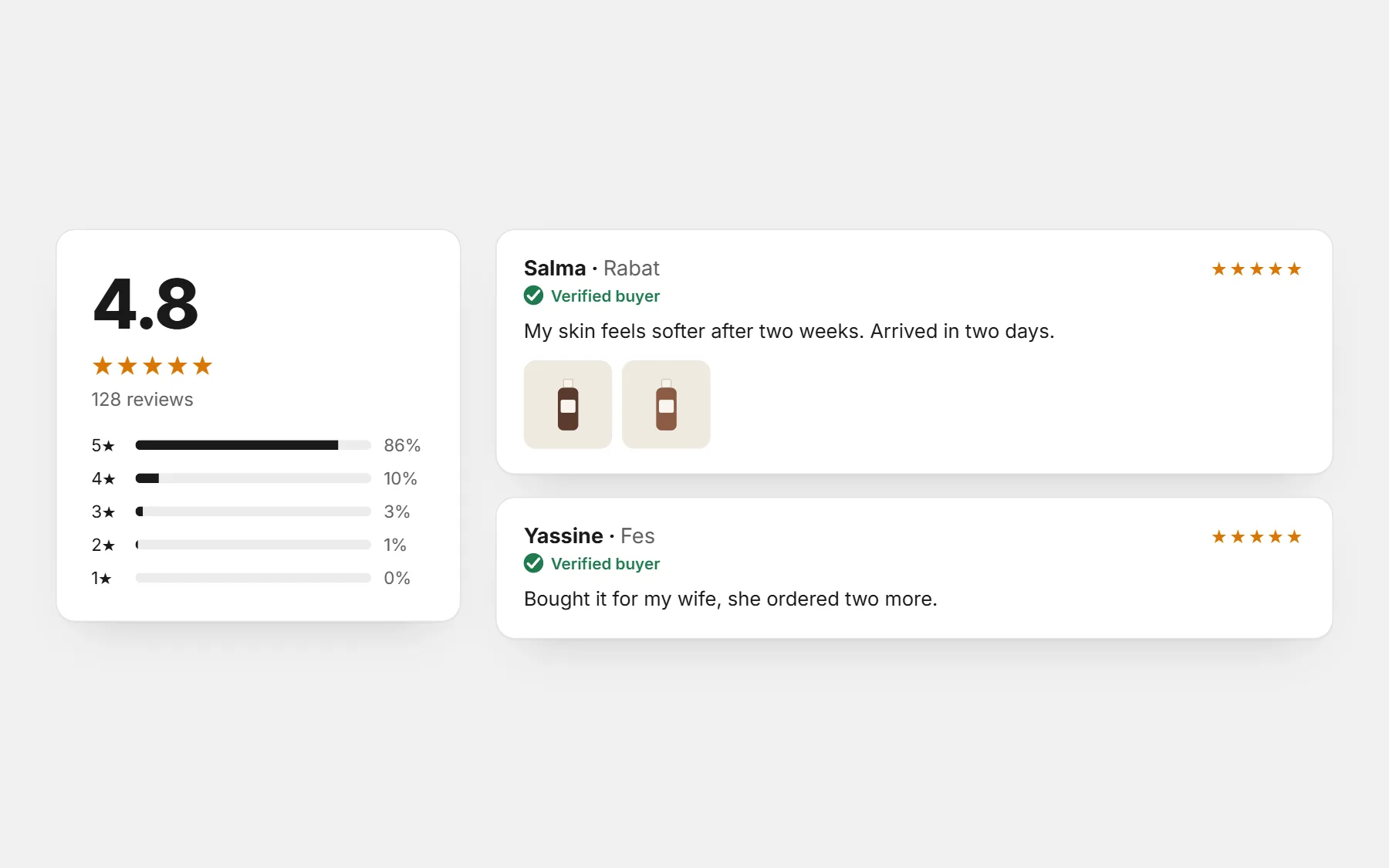
- 10. No reviews. Add the first ones as soon as customers receive the product, with their photos.
- 11. No way to ask a question. Add the WhatsApp button.
- 12. Payment fear. Say “pay on delivery” near the button if you offer it.
The offer and the audience
- 13. The price is too high for this audience. Compare with what they see elsewhere; try a quantity offer instead of a price cut.
- 14. The ad attracts the wrong people. Curiosity videos bring viewers, not buyers. Show the product solving a problem and the price.
- 15. Not enough data yet. A day or two of small budget is not a verdict. Judge after several days — see Facebook ads for a COD store.
When the store is the problem
If you send ads to a WhatsApp chat, a social profile or a page without a clear order form, most of these fixes are impossible. A product page built for ads solves several at once — see the COD landing page structure and a store for Facebook & Instagram ads.
Profit calculator
Your real profit per order after delivery, refused parcels and ads — and the most you can pay per order.
Questions people ask first
What is a normal conversion rate?
It varies a lot by product, price and country. Compare your own pages against each other rather than against a number from the internet.
Orders come in but most are refused. Is that the ad?
Rarely. It is usually the price display, the confirmation or the delivery time — see how to reduce refused COD orders.
Should I stop the ad?
Stop it when the cost per delivered order stays above your break-even after several days and fixes. The profit calculator gives your break-even.